Know Your Visitor Tool
Monitor and analyze visitor activity on your website in real time. See how people move through your site and improve decisions with clearer usage signals.
Pricing 0.1 credit / visitYou can fully customize
Track visitor activity and gain actionable insights to improve your website.
Quick Start
Copy the snippet for your stack and paste it into your project visitor analytics start tracking instantly.
A single script tag is all you need no init() call required.
1<!-- Add this snippet before the closing </head> or </body> tag -->
2<script
3  src="https://cdn.widgetkraft.com/analytics.js"
4  data-widget-id="YOUR_WIDGET_ID">
5</script>YOUR_WIDGET_ID with the ID from the Code tab of your analytics editor. Unlike other widgets, the ID is passed via data-widget-id no separate init() call needed.Track Custom Events with createWidgetKraftEvent()
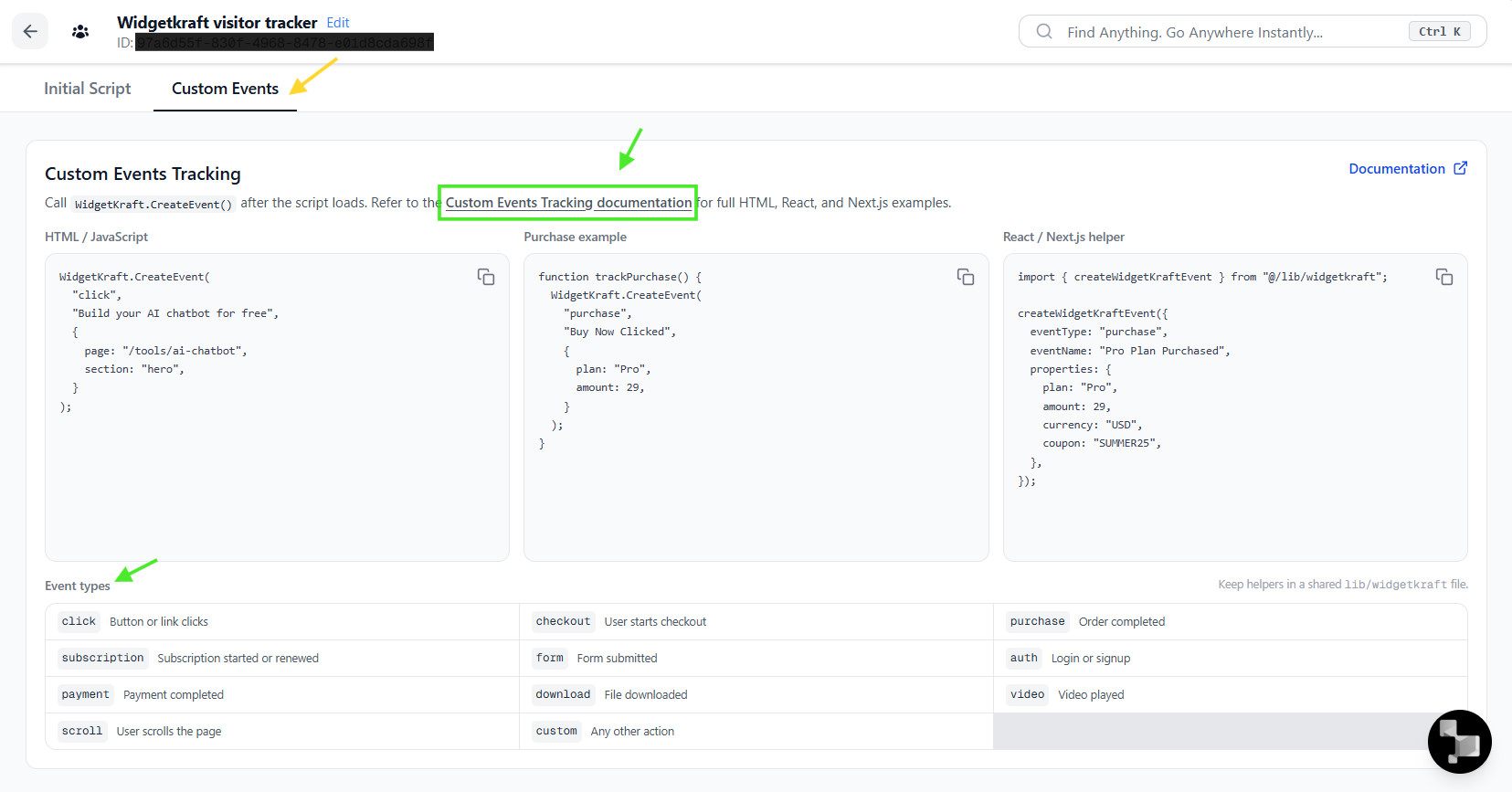
Custom events help you understand what your visitors are doing on your website. Use them to track important actions like purchases, signups, downloads, and chatbot opens.
Think of custom events as telling WidgetKraft what important action just happened. Once the tracking script is installed, you can call WidgetKraft.CreateEvent() anywhere in your app.
HTML / React / Next.js
Use the plain JavaScript call in HTML, or wrap it in a helper for React and Next.js.
Call WidgetKraft.CreateEvent() anywhere after the script is loaded.
1<script>
2  WidgetKraft.CreateEvent(
3    "click",
4    "Build your AI chatbot for free",
5    {
6      page: "/tools/ai-chatbot",
7      section: "hero",
8    }
9  );
10</script>
11
12<button onclick="trackPurchase()">Buy Now</button>
13
14<script>
15  function trackPurchase() {
16    WidgetKraft.CreateEvent(
17      "purchase",
18      "Buy Now Clicked",
19      {
20        plan: "Pro",
21        amount: 29,
22      }
23    );
24  }
25</script>lib/widgetkraft file so event tracking stays consistent across the app.Event Types
| Event Type | When to Use |
|---|---|
| click | Button or link clicks |
| checkout | User starts checkout |
| purchase | Order completed |
| subscription | Subscription started or renewed |
| form | Form submitted |
| auth | Login or signup |
| payment | Payment completed |
| download | File downloaded |
| video | Video played |
| chatbot | Chatbot opened or used |
| custom | Any other action |
Event Properties
Send extra information with every event so you can analyze which plan was purchased, how much was spent, which coupon was used, or which button was clicked.
createWidgetKraftEvent({
  eventType: "purchase",
  eventName: "Pro Plan Purchased",
  properties: {
    plan: "Pro",
    amount: 29,
    currency: "USD",
    coupon: "SUMMER25",
  },
});
Best Practices
- Track important actions like purchases, signups, and downloads.
- Give events clear names such as Checkout Started or Purchase Completed.
- Add helpful properties whenever you can to make reporting more useful.
- Use the same event type and name consistently across your app.
Example
createWidgetKraftEvent({
  eventType: "checkout",
  eventName: "Checkout Started",
  properties: {
    plan: "Pro",
    amount: 29,
    currency: "USD",
  },
});
Every time this code runs, WidgetKraft records the event so you can see it in your analytics dashboard and build better reports, funnels, and customer journeys.
Creating a Know Your Visitor tool
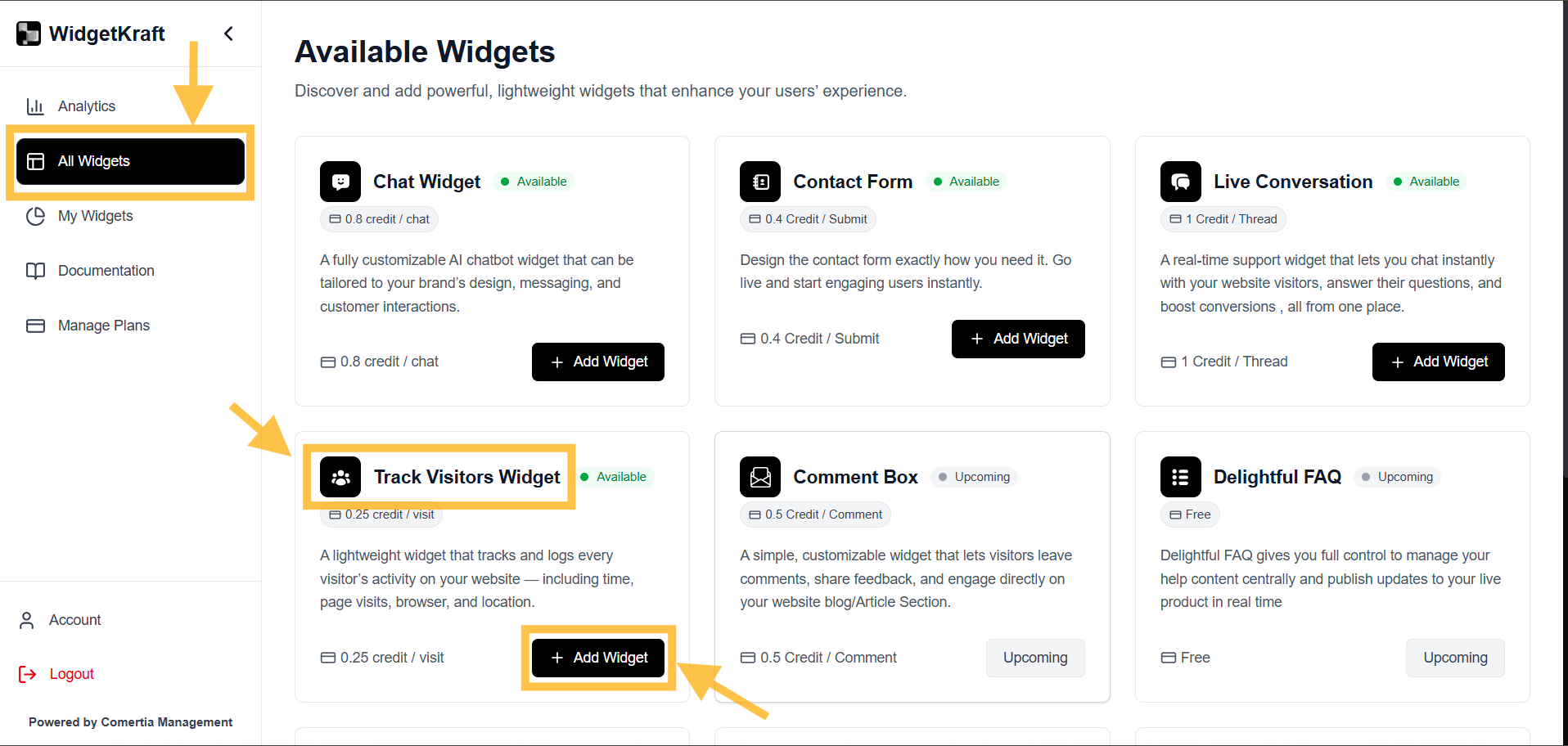
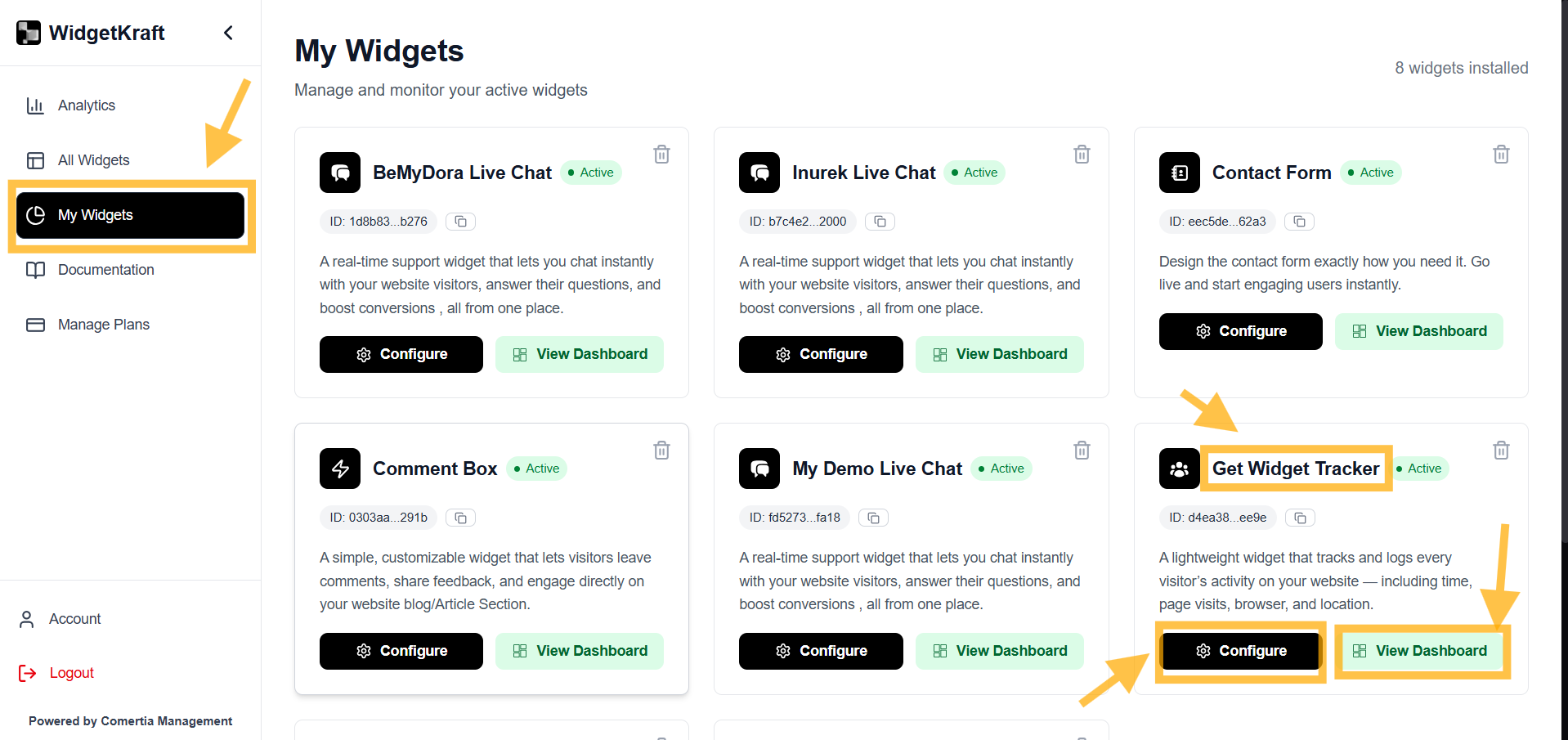
Four steps from the dashboard.
- 1Go to All Tools -> Visitor Tracker
- 2Click + Add Tool
- 3Go to My Tools -> Visitor Tracker
- 4Click Configure
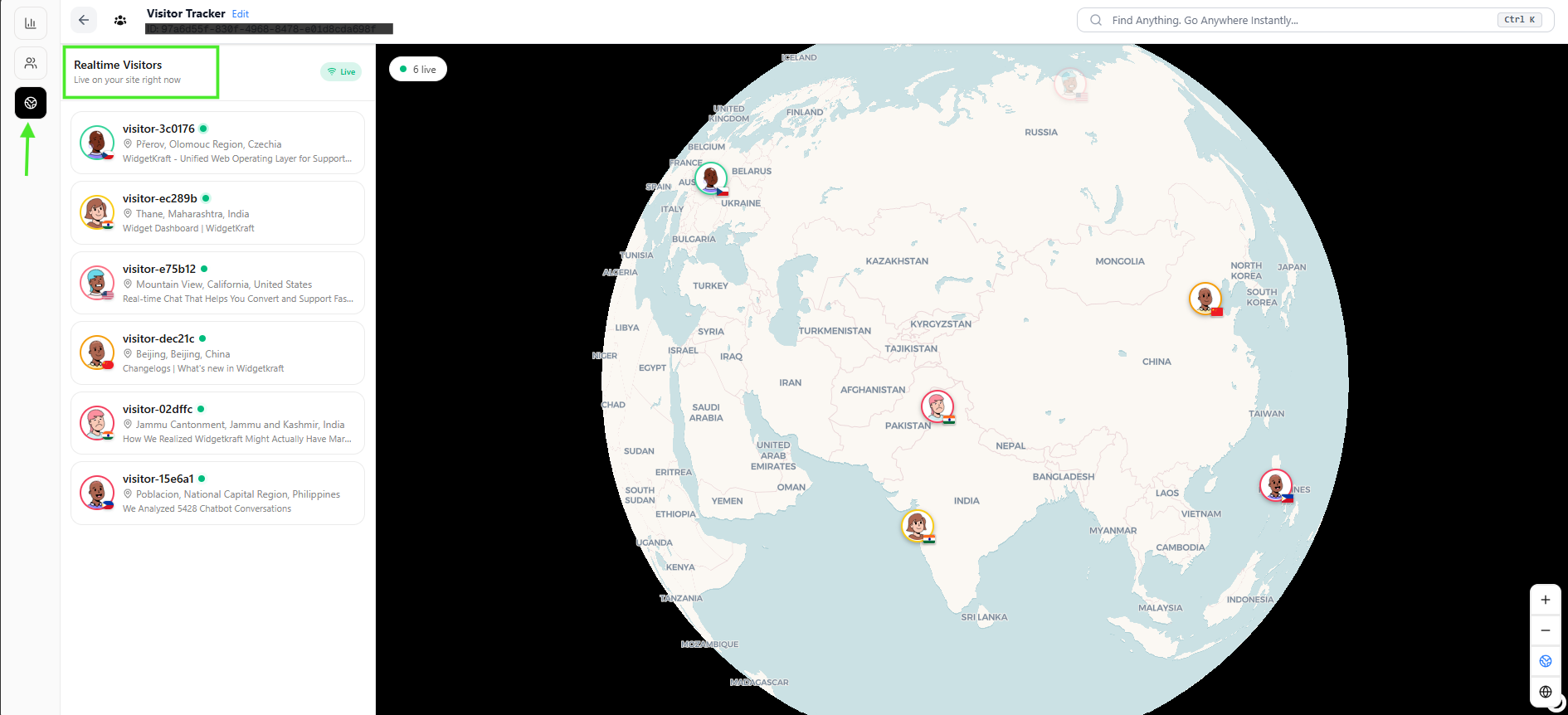
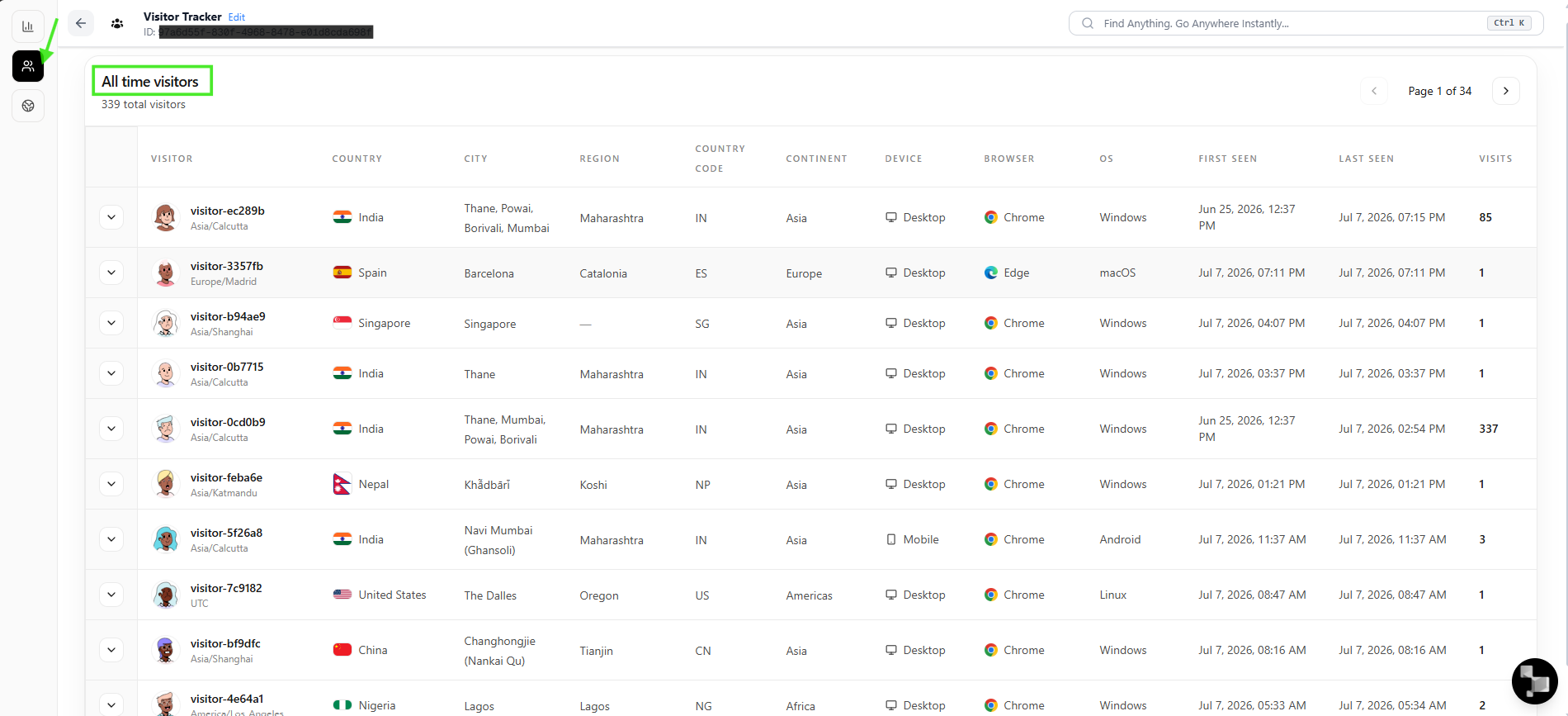
Real-time insights
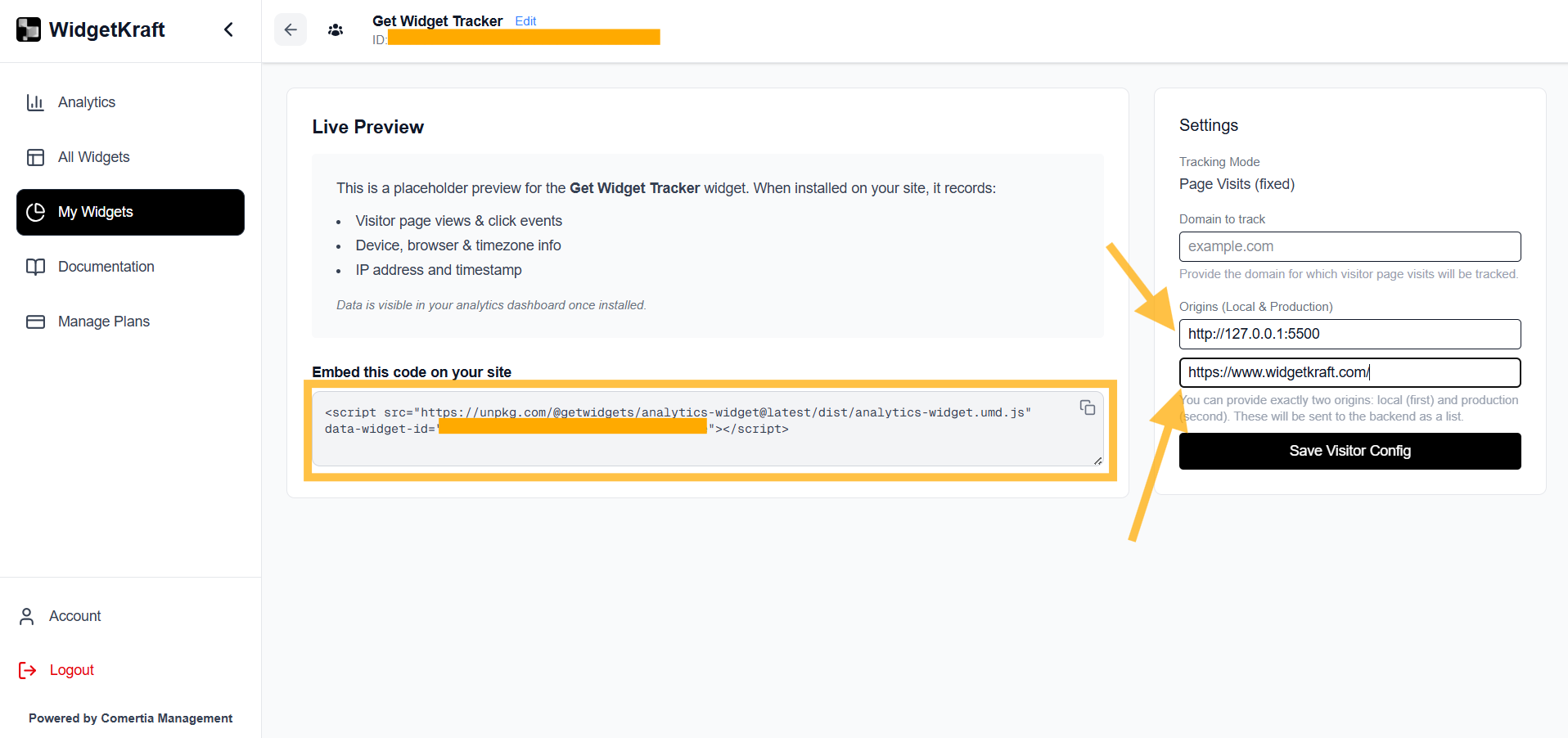
Monitor visitor activity as it happens and make data-driven decisions faster.Live preview
What the tracker starts collecting once installed.
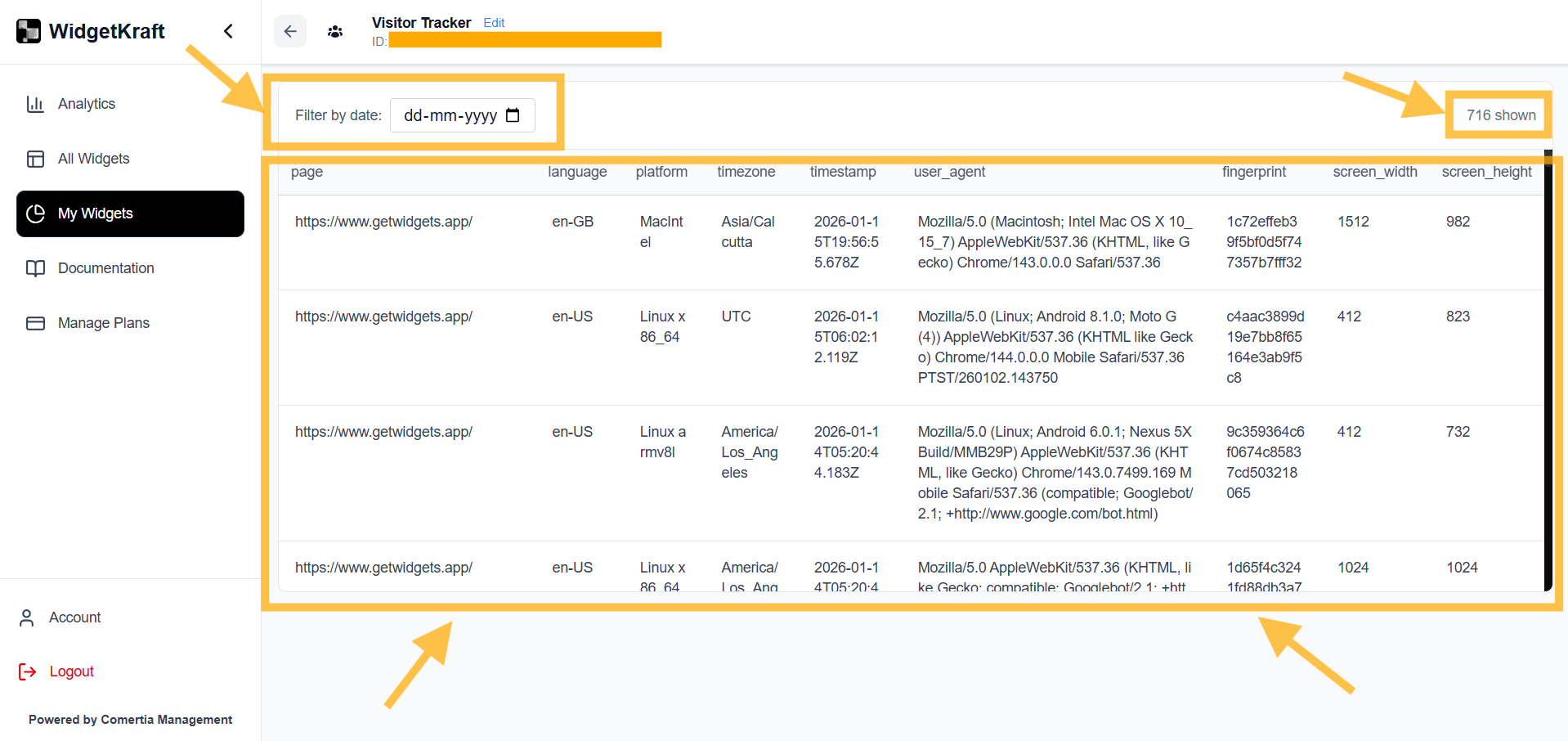
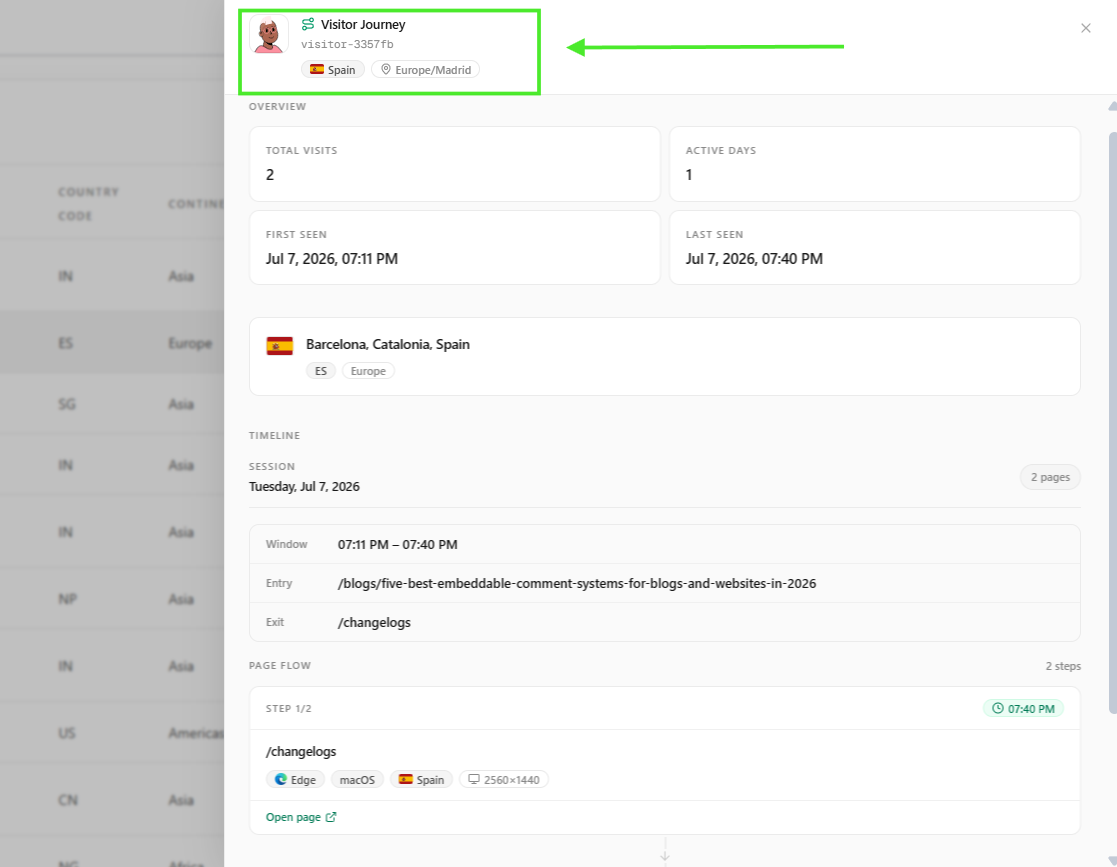
- Visitor page views and click events
- Device, browser, and timezone information
- Timestamp and related visit context
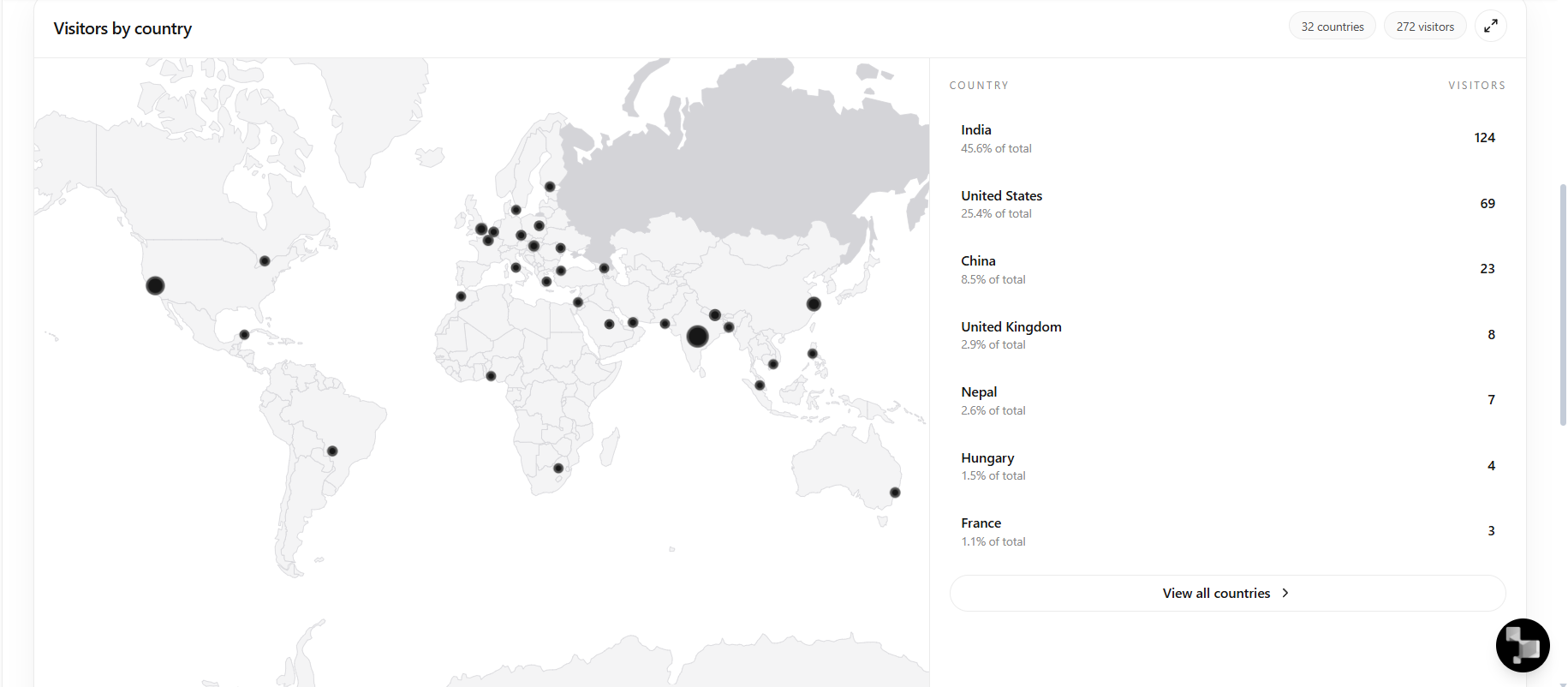
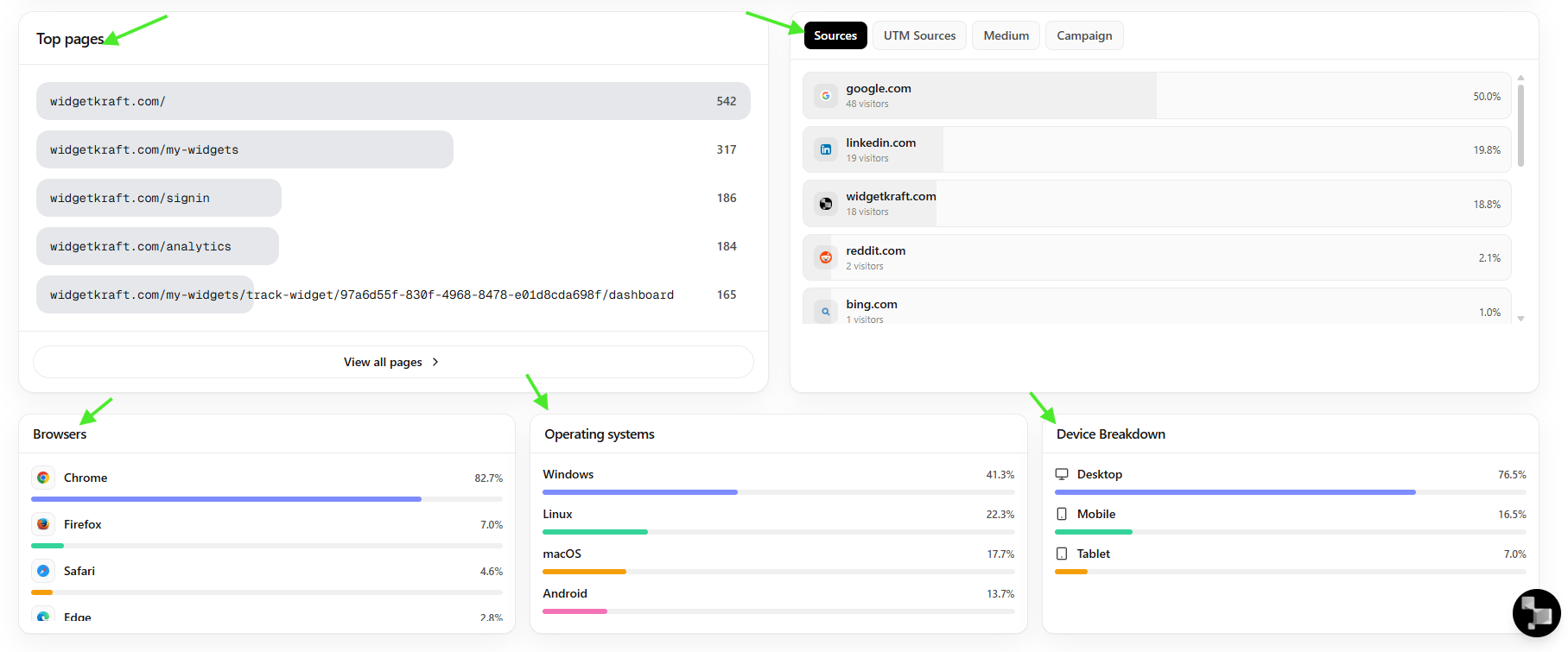
Visitor data dashboard
Review sessions and detailed visit activity.
Summary
The Know Your Visitor Tool lets you: