Comment Chaos Tool
Add a streamlined comment system to your website so visitors can post replies, share feedback, and join the conversation while you moderate everything from one dashboard.
Pricing 0.25 credit / commentYou can fully customize
Keep comments open for discussion while retaining full control over moderation.
Quick Start
Copy the snippet for your stack and paste it into your project your comment box is live in under a minute.
Paste this snippet into any HTML file before the closing </body> tag.
1<!-- 1. Add this where you want the comment box to appear -->
2<div id="commentbox-root"></div>
3
4<!-- 2. Load the widget script -->
5<script src="https://cdn.widgetkraft.com/comments.js"></script>
6
7<!-- 3. Initialize with your Widget ID -->
8<script>
9  CommentBoxWidget.init({
10    widgetId: "YOUR_WIDGET_ID"
11  });
12</script>YOUR_WIDGET_ID with the ID found in the Code tab of your comment box editor.Creating a Comment Chaos tool
Four steps from the dashboard.
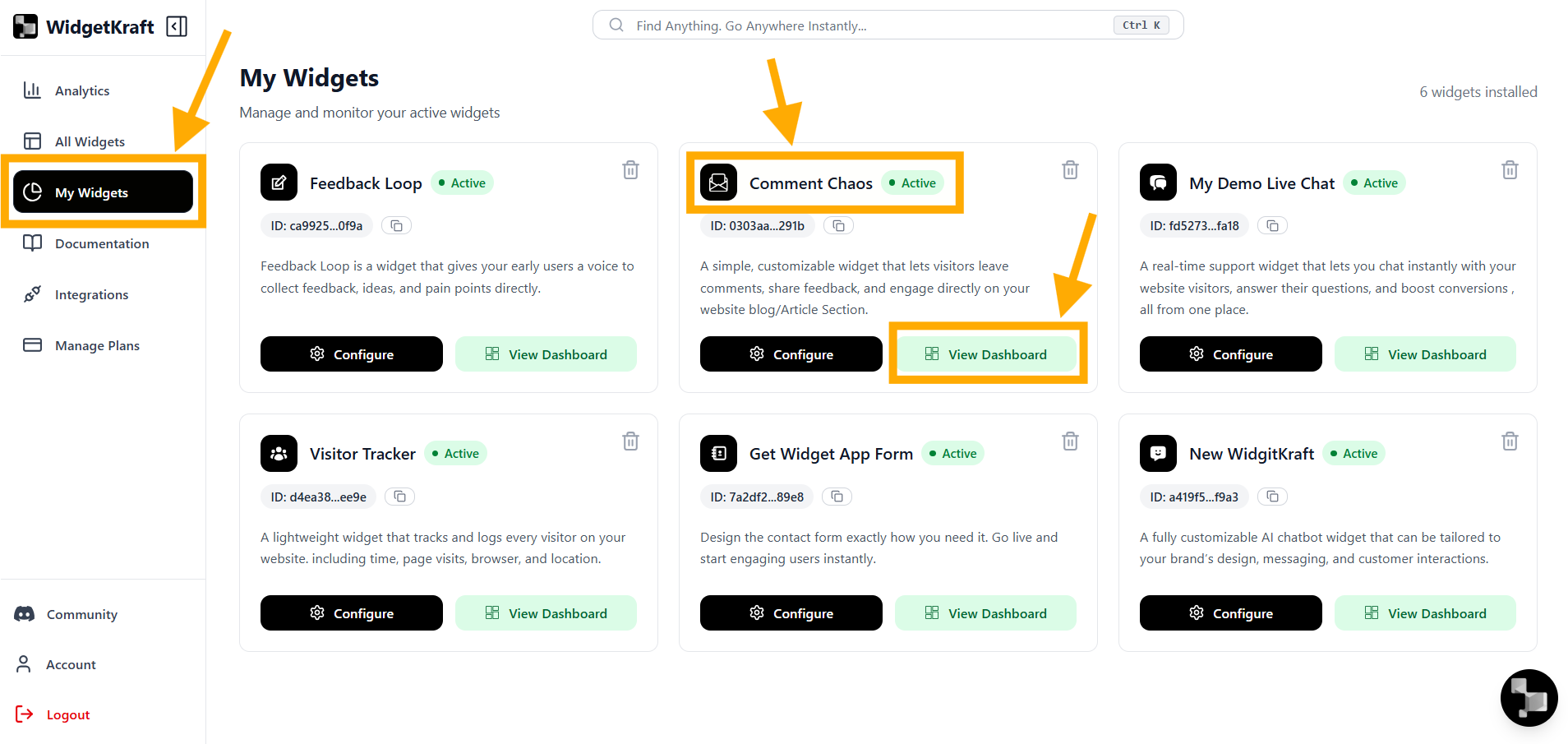
- 1Go to All Tools → Comment Chaos
- 2Click + Add Tool
- 3Go to My Tools → Comment Box
- 4Click Configure
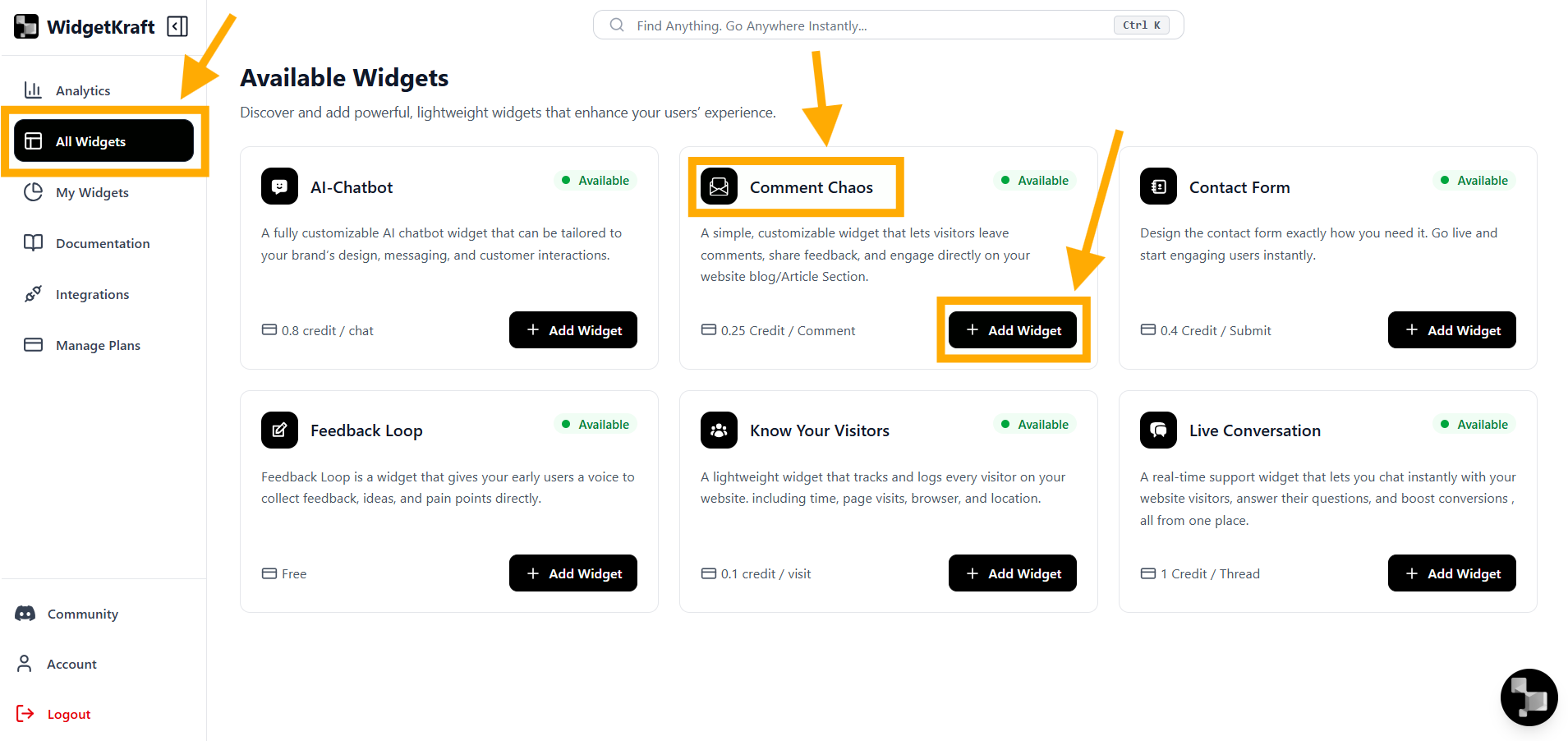
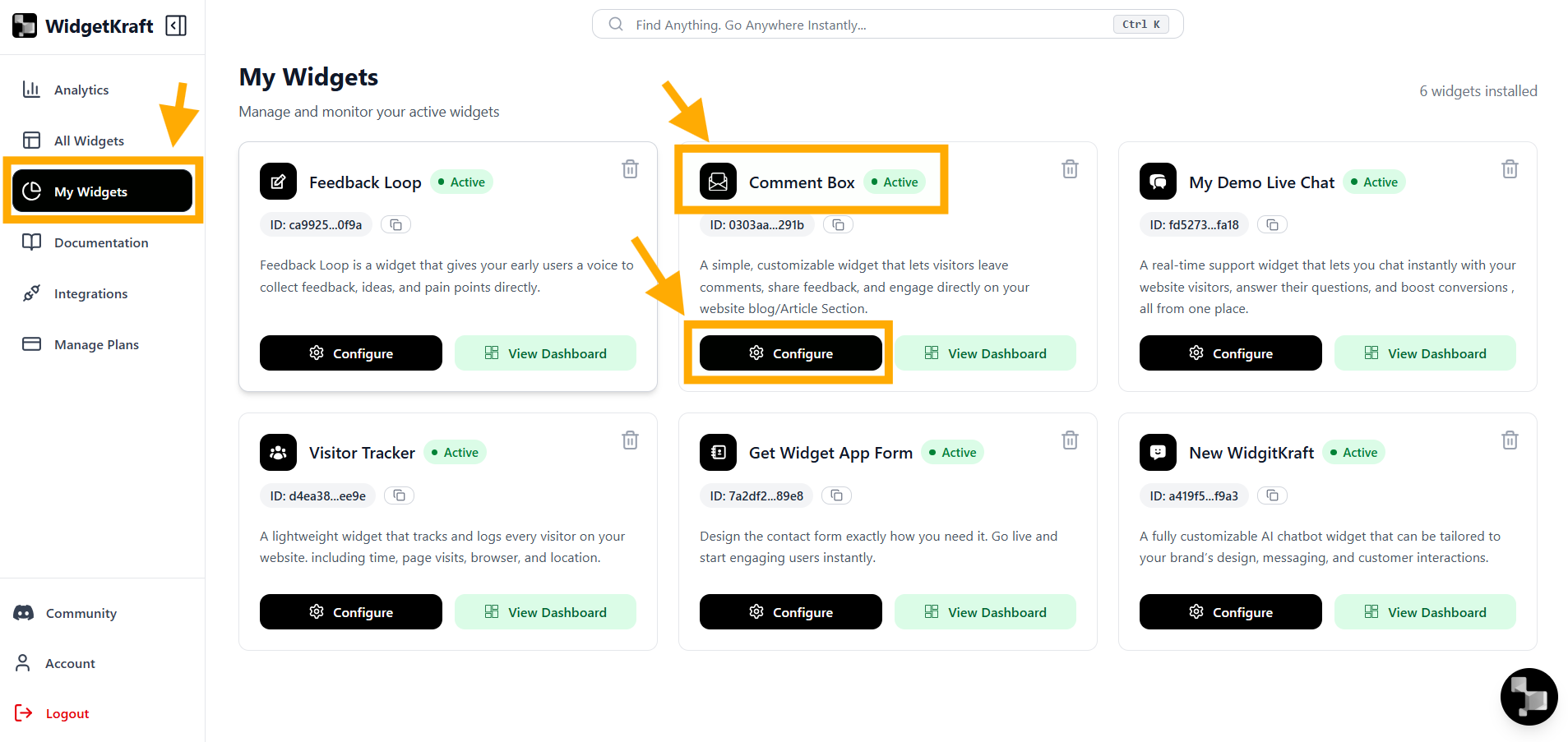
The editor opens with a live preview and a focused set of controls so you can adjust the comment experience and deploy it quickly.
Instant moderation
Approve, flag, or manage every comment from your dashboard in real time.Understanding the comment tool editor
Three main areas.
Design
Title, labels, and visual styling
Code
Embed snippet and copy flow
Dashboard
Moderation and approvals
Design tab
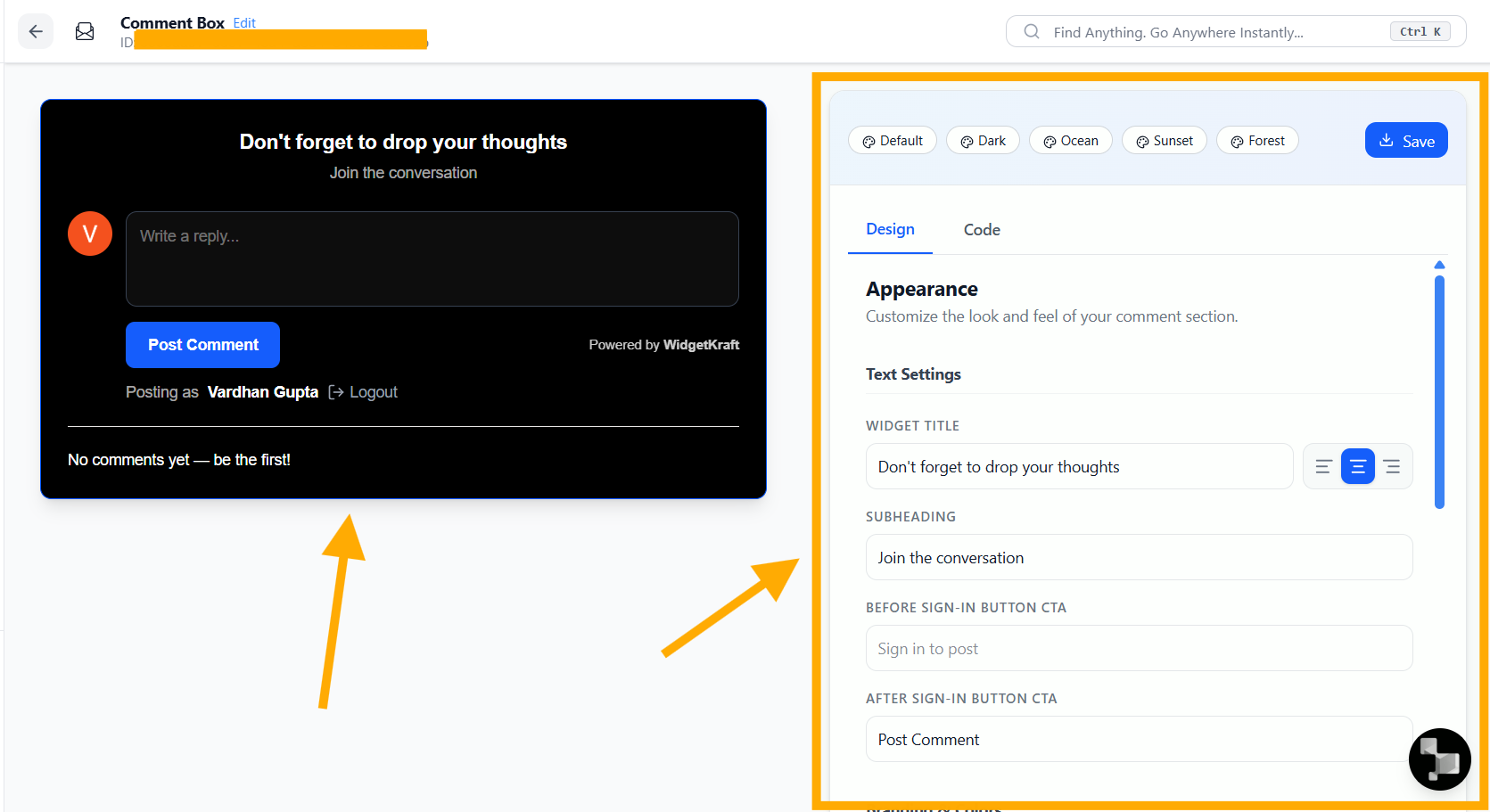
Adjust titles, button labels, and the overall presentation.
What you can change
- Tool title and subheading
- Sign-in CTA text
- Post comment button label
- Theme and appearance settings
Design tip
Keep titles short and button labels obvious so visitors know immediately how to join the conversation.Code tab
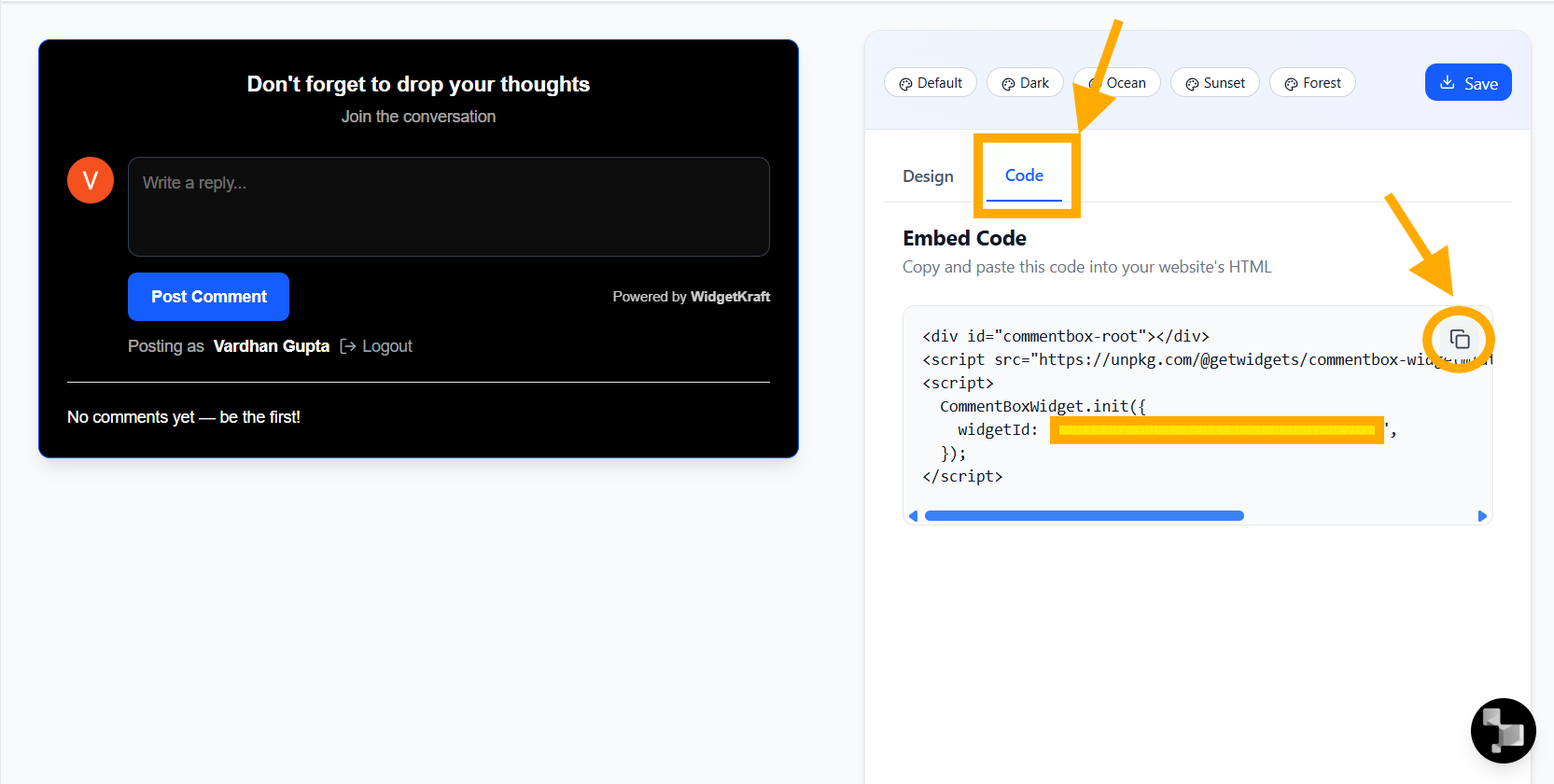
Copy the embed snippet and place it where comments should appear.
Using the embed code
- 1Open the Code tab and copy the generated snippet
- 2Paste it into the article, blog, or page where you want comments to appear
- 3Publish the page and visitors can start posting immediately
Moderation dashboard
Review comments, approvals, and page-level activity from one place.
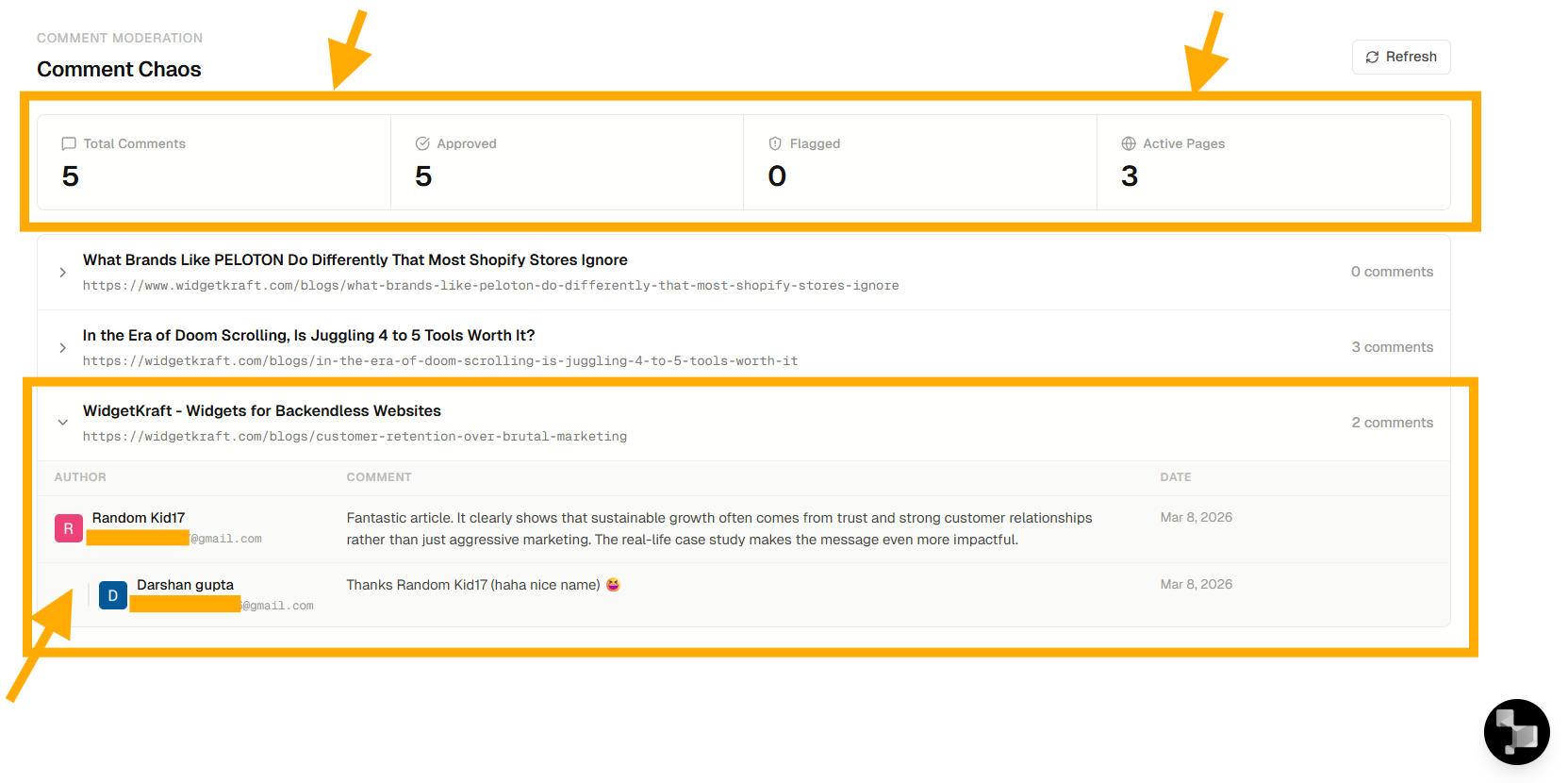
What the dashboard helps you monitor
- Total comments across pages
- Approved and flagged items
- Activity by article or page
- Moderation actions in one workflow
Summary
The Comment Chaos Tool lets you: