Analytics Dashboard
A guided overview of the key screens, trends, and activity summaries you can review from your WidgetKraft dashboard.
Dashboard Overview
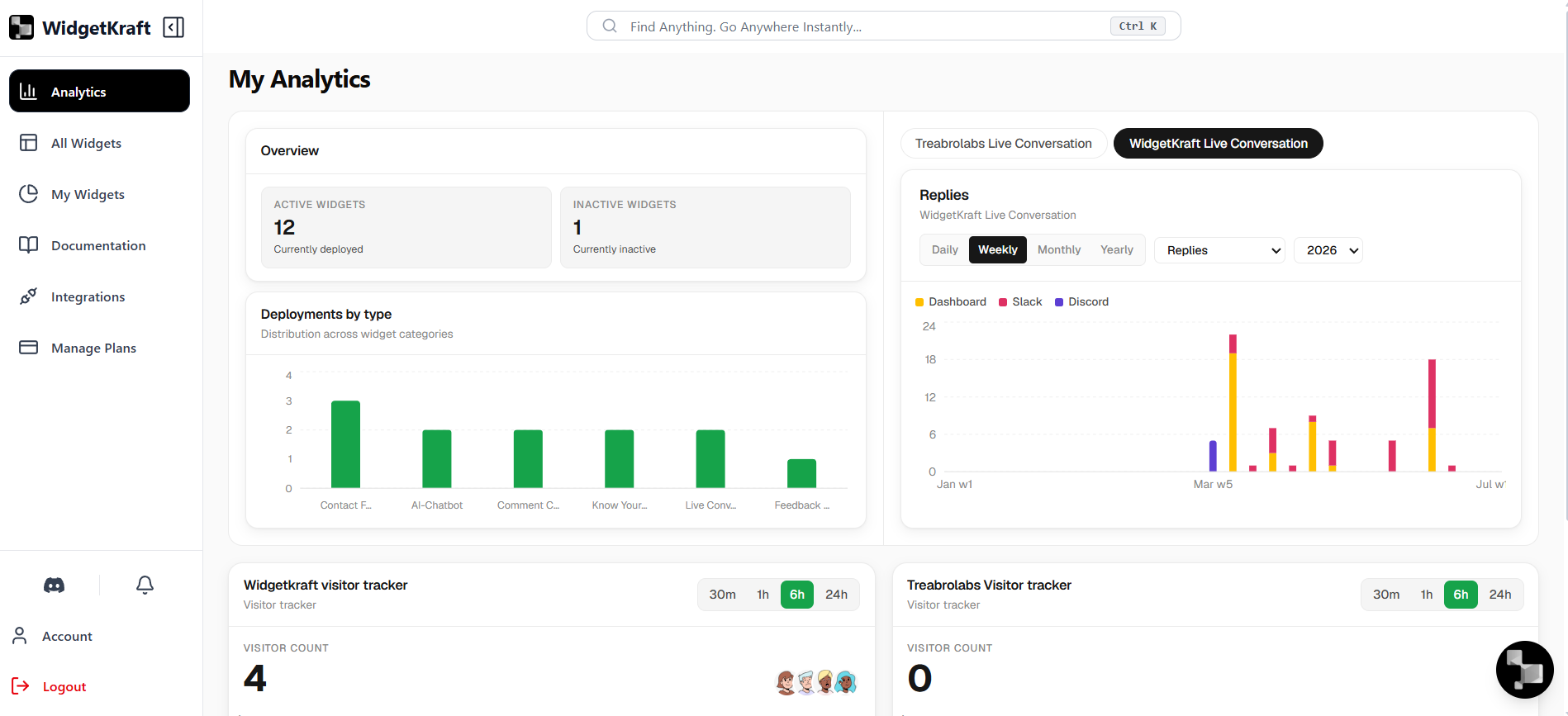
The main dashboard gives you a quick introduction to how your widgets are performing at a glance. Instead of digging through every widget one by one, you can immediately see how many are active, how many are inactive, and which widget categories are deployed most often.
Active Tools
Tools currently deployed
- See how many widgets are currently active and deployed.
- Identify inactive widgets that are installed but not live.
- Get a quick top-level view before drilling into individual widget performance.
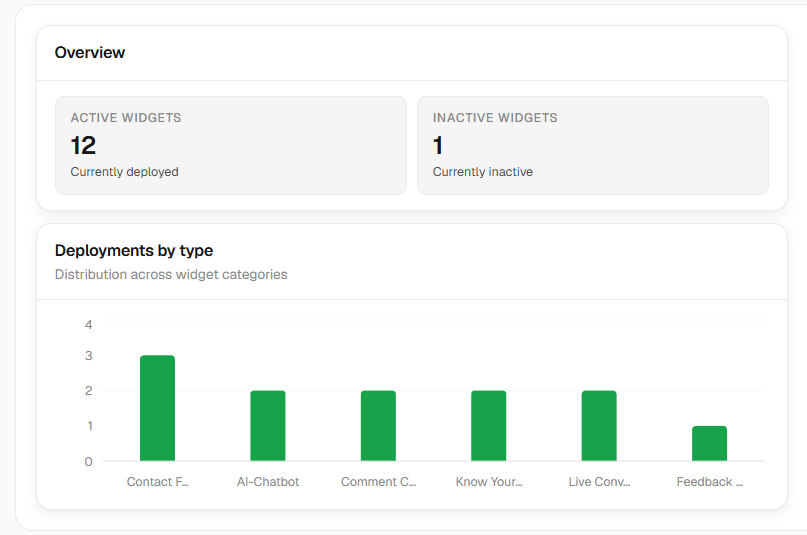
Deployments by category
The category graph gives you a visual breakdown of which widget types are used the most, helping you understand the mix of tools currently deployed across your workspace.
- Compare deployment volume across different widget categories.
- Understand which widget types are being used most often.
- Spot the overall distribution of tools across your workspace.
Live Conversation Snapshot
The live conversation panel gives you a quick analytics view of chatbot replies over time. It helps you understand how conversations are distributed across channels and how reply volume changes when you switch between daily, weekly, monthly, or yearly views.
Replies across channels
This chart gives users a fast way to compare reply activity from the dashboard itself as well as connected communication channels like Slack and Discord.
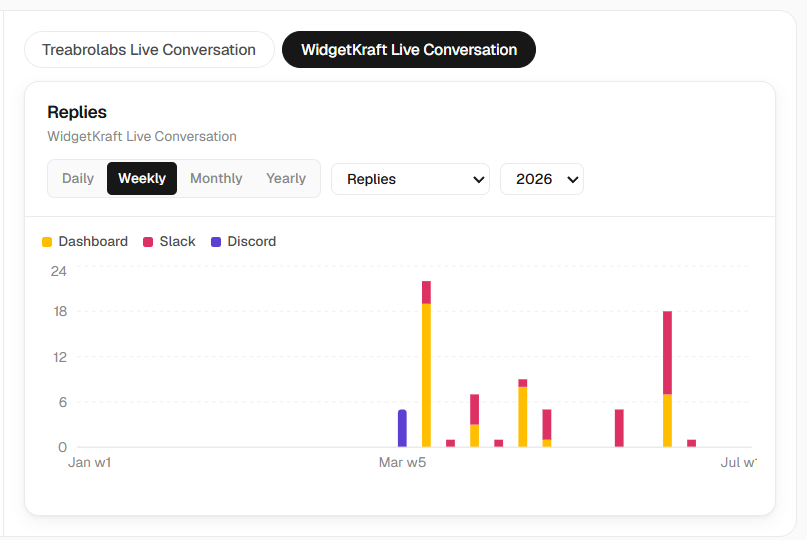
- Review reply activity in a bar graph format over a selected time range.
- Switch between daily, weekly, monthly, and yearly views for a broader trend check.
- Compare responses coming from the dashboard and connected channels.
Dashboard: Replies handled directly inside the WidgetKraft dashboard.
Slack: Conversations responded to through your connected Slack workflow.
Discord: Messages and replies routed through your Discord setup.
Visitor Tracker Overview
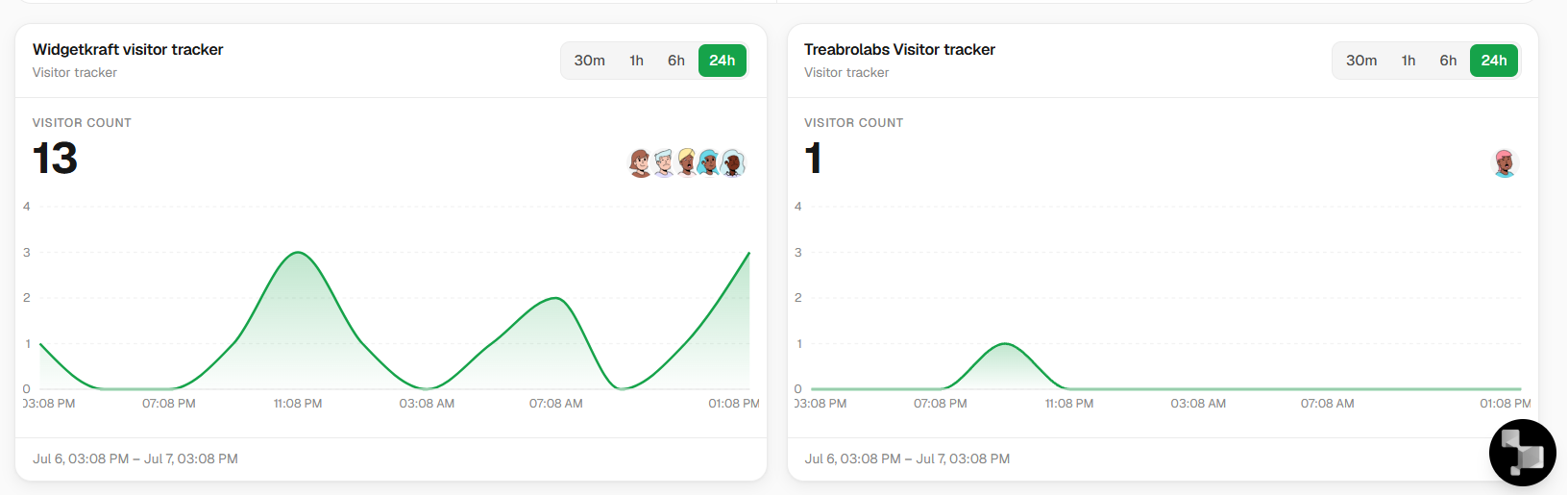
The visitor tracker cards give you a simple glimpse of how people have been appearing over a recent time range. When you have multiple widgets of the same type installed, this view helps you compare activity patterns and understand where visitor attention is happening.
WidgetKraft visitor tracker
Visitor tracker
See how visitors moved across the selected time window for this installed tracker.
- Get a glimpse of recent visitor activity for this widget type.
- View changes over a selected time period such as the last 30 minutes or 24 hours.
- Compare multiple installed visitor tracker widgets side by side.
Treabrolabs visitor tracker
Visitor tracker
Compare another tracker instance to quickly spot quieter or more active periods.
- Get a glimpse of recent visitor activity for this widget type.
- View changes over a selected time period such as the last 30 minutes or 24 hours.
- Compare multiple installed visitor tracker widgets side by side.
What This Page Helps You Spot
Use the dashboard as a first-look overview
- Check how many widgets are active versus inactive.
- Understand which widget categories are most widely deployed.
- Review live conversation reply patterns across connected channels.
- Compare short-term visitor activity across installed visitor tracker widgets.